Learn how to popup a message on the screen from both static text and a dynamically generated string.
SYNTAX
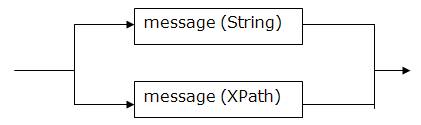
The <fm:alert> syntax is as follows:
fm:alert
For example, the command:
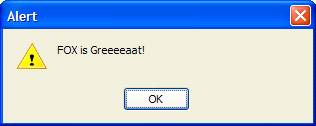
<fm:alert message="FOX is Greeeeaat!"/>
Will popup:
This is all very well and good when you want to alert the users with a static message, but not very useful apart from that!
The other value the message attribute can take is an XPath expression.
EXAMPLES
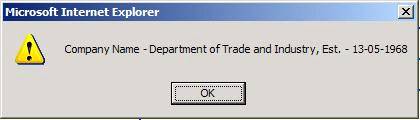
For example, you may want to alert the user about the value of an element in the data DOM, so you could use:
<fm:alert message="string(concat('Company Name – ', /*/COMPANY_INFO/COMPANY_NAME, ', Est. – ', /*/COMPANY_INFO/ESTABLISHED))"/>
In the <fm:do> part of an action, or entry into a module, to give you:
Try it out!
It uses the XPath functions “string”, which is mandatory since alerts must return a string, and the function “concat”, which concatenates 2 or more strings together.
EXERCISES
Please use your XX_EMPLOYEEMODULE (where XX are your initials) file for the following exercises.
Exercise 1
Make an alert message popup when the module loads up with the words “Welcome to the EMPLOYEEMODULE!”
Hint: Actions can be added in the <fm:do> section of the entry theme.
Exercise 2
Add an <fm:alert> to the “action-button” action from the previous chapter. The message should read “My First Button pops up this message.”
Exercise 3
Alter the message from Exercise 2 to read “Welcome to the Department of Energy and Climate Change” by using XPath to select the company name from the root DOM.